
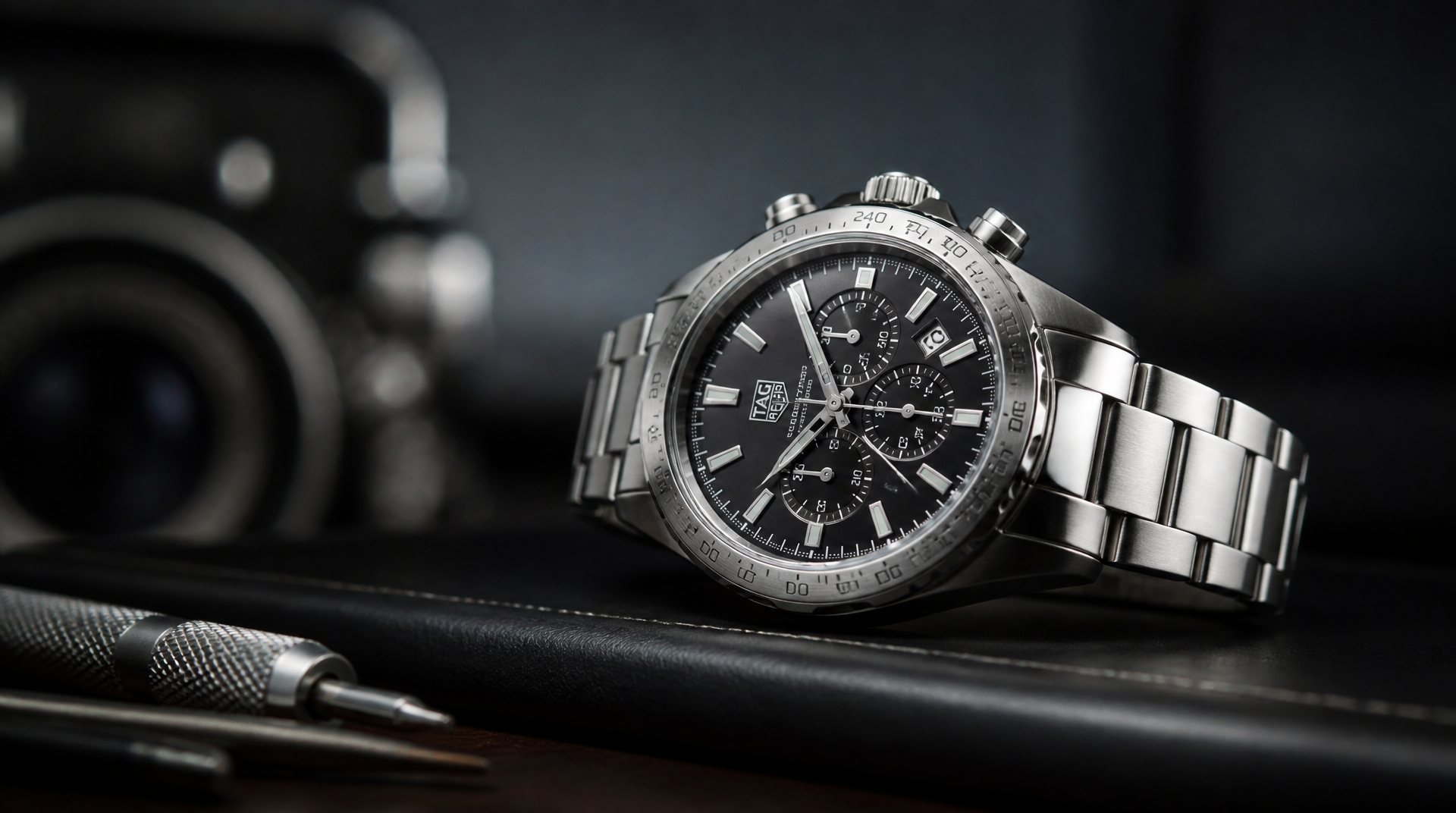
Pull the crown to the first position and turn it—but never do this when the hands read between roughly 9 PM and 3 AM. In that window the date-change gears are already meshing, and using the quick‑set can shear teeth or misalign the mechanism. Once you know the correct crown position for your model and always set outside the danger zone, the rest takes less than a minute.
Why the 9 PM–3 AM Window Matters
Between about 9:00 PM and 3:00 AM, the movement’s date‑driving wheel and jumper begin to engage for the automatic midnight change. Forcing a manual advance while those parts are touching can bend the jumper spring, chip wheel teeth, or leave the date disc hanging between two days.
A common failure mode shows up the first night after setting: the date doesn’t snap cleanly at midnight, or you hear a soft click-slip sound but the number stays halfway. Stop using the quick‑set immediately and have the watch examined. If you ever feel resistance or a gritty catch while turning the crown in the date position, don’t push through it—release the crown and get the movement checked.
Identify Your Tag Heuer’s Crown and Corrector Setup
Different calibers use different controls. Confirming your layout before you start prevents pulling the crown to the wrong stop or overlooking a hidden corrector.
Standard Three‑Hand Models (Calibre 5, Calibre 7, and Similar)
Aquaracer, Carrera three‑hand, Link, and Autavia three‑hand examples.
- Position 0 – Crown fully pushed in. On screw‑down models, unscrew first.
- Position 1 – First click out: date quickset. On ETA‑ or Sellita‑based calibers (Calibre 5), turning the crown counterclockwise usually advances the date.
- Position 2 – Second click out: time‑setting with hacking (seconds hand stops).
Chronographs with a Date Corrector Pusher (Calibre 16, Calibre 17, Some 1887‑Based)
Carrera Calibre 16, certain Monaco chronographs.
- Date is set via a recessed pusher, typically at 10 o’clock (sometimes at 2 o’clock). Use the supplied tool or a wooden toothpick.
- The crown sets the time at position 2; the first position is often inactive on these calibers.
Chronographs That Use the Crown for Date (Heuer 02, Calibre 01)
Carrera Heuer 02, some Autavia and Monaco in‑house chronographs.
- Crown positions mirror a three‑hand model: position 1 advances the date. Turn the crown (clockwise for many of these movements) until the correct date appears.
Quartz Tag Heuer Watches
Aquaracer quartz, Formula 1, Link quartz—most use the same crown logic as standard three‑hand models. The movement stops when the crown is pulled to the time‑setting position, rather than hacking like a mechanical movement.
Screw‑Down Crowns
On divers and high‑water‑resistance pieces (Aquaracer, many Carrera chronographs), turn the crown counterclockwise until it pops free. After setting, push it in and turn clockwise with gentle pressure until seated. Leaving it unscrewed compromises water resistance.
How to Set the Date Correctly: Step by Step
These steps cover any Tag Heuer where the crown controls the date. If your model uses a recessed corrector, replace step 5 with one gentle press per day advance.
1. Check the time on the dial. If the hands show between 9 PM and 3 AM, advance the time forward past 3 AM before anything else.
2. Unscrew the crown if needed and pull it gently to the first stop. If you accidentally reach the second position (hacking/time‑set), push it back in and restart.
3. Confirm you are in the safe zone again: move the time forward until the date changes naturally, then set the hands to roughly 6:30. Now pull the crown to position 1 and turn it slowly. If the date does not move at all, stop—you may have a model that uses a recessed date corrector. Look for a small pusher at 10 o’clock or 2 o’clock on the case flank. If no corrector is visible and the crown still spins without changing the date, do not keep turning; the movement may need service.
4. Turn the crown to advance the date to the day before today’s date. For most mechanical movements (Calibre 5, Calibre 7) turn counterclockwise. If nothing happens, try clockwise—some in‑house calibers alternate. Rotate slowly and stop if you feel anything other than a crisp snap.
5. Pull the crown to the time‑setting position (second click) and advance the hands past midnight so the date clicks over to today. Continue until the correct time is set, paying attention to AM/PM.
6. Push the crown back in fully. For screw‑down crowns, press and turn clockwise until snug—firm fingertip pressure is enough, don’t over‑tighten.
7. Verify the setting. Let the watch run past the next midnight. The date should snap cleanly and completely at 12:00. If it changes at noon instead, the hands are 12 hours off; advance the hour hand forward 12 hours to correct. If the date doesn’t change at all or hangs between two numbers, stop using the date set and have the movement inspected.
Setting the Date on a Connected or Hybrid Watch
Tag Heuer Connected models (Carrera Connected, Connected E4) sync the date automatically from the paired phone. There is no on‑watch date setting. If the date is wrong, verify your phone’s date and time settings and check that the watch is synced via the Tag Heuer Connected app.
What to Do If the Date Won’t Change or Feels Stuck
- Crown not fully in the date position. The detent between stops is subtle. Rock the crown slightly while pulling—you may be stuck between clicks.
- Low power reserve on an automatic. A nearly dead movement can make the date mechanism behave erratically. Wind the crown 20–30 times if the watch hasn’t been worn recently.
- Crown or corrector feels jammed. Never force it. A stuck pusher or crown usually signals dried lubrication or internal misalignment. Take it to an authorized service center.
- Date changes partially or skips. Likely a damaged calendar wheel or jumper. Stop using the quick‑set immediately. Repeated attempts hoping the date will “catch” can spread a crack or bend a spring further.
- Recurrence after a successful set. A date that works for a few nights and then lags or hangs between numbers can point to a slipped clutch wheel or a cracked driving wheel caused by an earlier quick‑set in the danger zone. Stop manual setting and have the movement examined.
Stop/escalate threshold: If you feel any grating sensation or hear grinding while turning the crown in the date position, release the crown right away and do not try again. Continuing can send metal debris through the movement. Likewise, if the date fails to change at midnight after a correct setting or reverts a day later, stop and see a qualified watchmaker.
Frequently Asked Questions
Does every Tag Heuer allow manual date setting?
Most mechanical and quartz Tag Heuer models include a quick‑set date, but a few vintage or specialized calibers—like the El Primero‑based Calibre 36 chronographs—may lack a quickset. On those, you can advance the date only by turning the hands through midnight. Check your watch’s manual to be sure.
Can I set the date backward?
Setting backward via the quick‑set is safe only if the movement explicitly supports bidirectional correction. In most ETA/Sellita‑based calibers (Calibre 5, for example), the quick‑set works in one direction—usually counterclockwise to advance the date. Forcing it the other way can stress the mechanism. Always advance forward to the correct date rather than trying to reverse it.
Why does the date change at noon instead of midnight?
The hands are set 12 hours off. Move the hour hand forward 12 hours, and the date will then change at midnight as expected.
My Tag Heuer has both a day and a date window. Does the same process apply?
Day‑date models such as the Aquaracer Calibre 5 Day‑Date often use two crown positions or two directions at the same position: one direction advances the date, the opposite direction advances the day. Always set the day first, then the date, using the same safe‑zone rules. Afterward, adjust the time past midnight so both change in sequence naturally.
Is it safe to use the date quick‑set while the watch is on my wrist?
It’s safer to remove the watch and work on a stable surface. When the crown is pulled, the stem is more exposed; an accidental bump or angled pressure can bend the stem or damage the case tube. A desk or tabletop setup reduces that risk.
{{ omit final closing paragraph per rules – article ends after last complete FAQ answer }}
Explore This Topic
- Back to Tag Heuer
- Back to Tag Heuer Date Set
Related guides in this cluster:
- Tag Heuer Serial Number Guide: How to Check & Authenticate Your Watch
- How to Verify Your Tag Heuer Serial Number: Complete Authentication Guide
- Tag Heuer Watches: The Complete Brand Guide — Carrera, Monaco & Aquaracer

The We Know Watches editorial team brings together over 40 years of combined watch collecting, trading, and repair experience. Our editors have owned and handled watches from every major brand — from entry-level Seiko 5s to Rolex, Omega, Patek Philippe, and independent Swiss watchmakers. We’ve bought and sold at auction, worked with authorized dealers, visited manufacturing facilities in Switzerland and Japan, and serviced hundreds of movements ranging from the Seiko 7S26 to the Longines L888. Every guide and review we publish is based on hands-on experience, original research, and consultation with professional watchmakers. We do not accept payment for reviews, and we clearly disclose when we use affiliate links.